What to Look for in an Ebook Builder
An ebook builder is a tool that helps you write, design, format, and export a digital book — without needing to code or master Adobe InDesign. The right one depends on what you are creating and who you are creating it for. Here are the criteria that matter most:
Export formats. At minimum, a good ebook builder should export to EPUB (the standard for Apple Books, Google Play Books, and Kobo) and PDF (for lead magnets, print, and direct downloads). MOBI support matters if you publish on Amazon Kindle, though Amazon now accepts EPUB directly. Tools that only export PDF are fine for marketing ebooks but inadequate for commercial publishing.
Design control. How much can you customize the look? Some tools offer pre-built templates with limited tweaking. Others give you full control over fonts, margins, drop caps, chapter headers, and cover design. Writers who care about typography need more control than marketers who just need a clean, professional PDF.
Ease of use. The best ebook builder for you is one you will actually use. A novelist writing 80,000 words needs a distraction-free writing environment with outlining tools. A marketer turning a blog post into a lead magnet needs import-and-format automation. Match the tool to your workflow, not the other way around.
Pricing model. Ebook tools range from free (Canva, Pressbooks self-hosted) to one-time purchases (Scrivener, Vellum) to monthly subscriptions (Designrr, Beacon, Kotobee). For a single ebook, a one-time purchase or free tool makes sense. For ongoing production — a content marketing team publishing monthly lead magnets — a subscription pays for itself.

The right ebook builder depends on your output — a commercial novel needs EPUB and print formatting, while a lead magnet just needs a clean PDF.
The 7 Best Ebook Builders
The world's most popular design tool — and surprisingly capable as an ebook builder. Drag-and-drop templates, free plan, and one-click PDF export.
- Free plan with 250,000+ templates including ebook layouts
- Drag-and-drop editor — no design skills required
- One-click export to PDF (standard or print-bleed)
- Built-in stock photos, illustrations, fonts, and icons
- Collaboration features for teams working on the same ebook
Canva is not purpose-built for ebooks, but it has become the go-to for millions of people who need a professional-looking digital book without hiring a designer. The platform offers hundreds of ebook and report templates — multi-page layouts with cover pages, chapter dividers, and content pages that you customize by swapping text and images. For a 10-30 page lead magnet or brand guide, Canva is hard to beat on speed and cost.
The free plan is genuinely usable. You get access to thousands of templates, basic fonts, and standard stock photos. The PDF export is clean and high-resolution. The Pro plan unlocks premium templates, the Brand Kit (custom fonts and color palettes), and the background remover — all valuable if you produce ebooks regularly for a business.
The limitation is format. Canva exports PDF only — no EPUB, no MOBI. If you want to sell your ebook on Amazon Kindle or Apple Books, Canva alone is not enough. You would need to design the interior in Canva, export as PDF, and use a separate tool to convert to EPUB. For marketing ebooks distributed as PDF downloads, this is not an issue. For commercial publishing, look at Vellum or Scrivener instead.
The gold standard for self-published fiction — press-ready EPUB and print interiors with beautiful typography, drop caps, and chapter ornamentals.
- One-click export to EPUB, Kindle (MOBI), and print-ready PDF
- Professional typography with automatic drop caps and ornamental breaks
- Built-in box set creator for bundling multiple books
- Live preview — see exactly how your ebook looks on Kindle, iPad, and print
- Import from Word, Pages, or RTF — Vellum handles all formatting
Vellum is the tool that self-published fiction writers rave about — and for good reason. You import your manuscript from Word, and Vellum automatically formats it into a beautiful, professional ebook with drop caps, chapter headers, and ornamental scene breaks. You choose from a set of built-in styles, preview the result on simulated Kindle and iPad screens, and export press-ready files in minutes.
The output quality is genuinely exceptional. Vellum-produced ebooks look like they came from a traditional publishing house — the typography, spacing, and attention to detail are that good. For fiction writers publishing on Amazon KDP, Apple Books, or Kobo, Vellum eliminates the formatting nightmare that used to require hiring a professional.
The trade-offs are platform and price. Vellum is Mac-only — there is no Windows version (though it runs on cloud Mac services like MacinCloud). And the one-time price is steep: $249.99 for ebook-only or $499.99 for ebook + print. But for a novelist who publishes multiple books, the per-book cost quickly becomes negligible. There are no subscription fees, no per-book charges, and no limits on how many ebooks you create.
A complete writing studio — outline, draft, research, and export to EPUB, PDF, MOBI, and Word. Built for novels, nonfiction, and screenplays.
- Corkboard outlining with index cards and drag-and-drop restructuring
- Split-screen research — view notes, images, and web pages alongside your draft
- Compile to EPUB, PDF, MOBI, Word, RTF, and plain text from one project
- Distraction-free composition mode with customizable background
- Project statistics — word count targets, session goals, and writing history
Scrivener is different from every other tool on this list because it is a writing tool first and an ebook builder second. You do not import a finished manuscript — you write the manuscript inside Scrivener, using its corkboard, outline, and research tools to manage the entire creative process. When the book is done, you compile it to your chosen format with customizable export settings.
The compile system is powerful but has a learning curve. You can control everything — chapter headings, scene breaks, front matter, back matter, formatting styles — through a settings panel that looks intimidating but offers presets for common output types. Once you have a compile setting you like, you can reuse it for every book in a series. The EPUB and PDF output is professional quality, though not as polished as Vellum out of the box.
For writers who live in their tool — who want to outline, research, draft, and export without switching apps — Scrivener is unmatched. The one-time price, cross-platform availability (Mac, Windows, iOS), and absence of subscription fees make it the most cost-effective professional writing tool on this list. The trade-off is that the formatting output requires more setup than Vellum, and the interface can feel overwhelming for writers who just want a simple ebook builder.
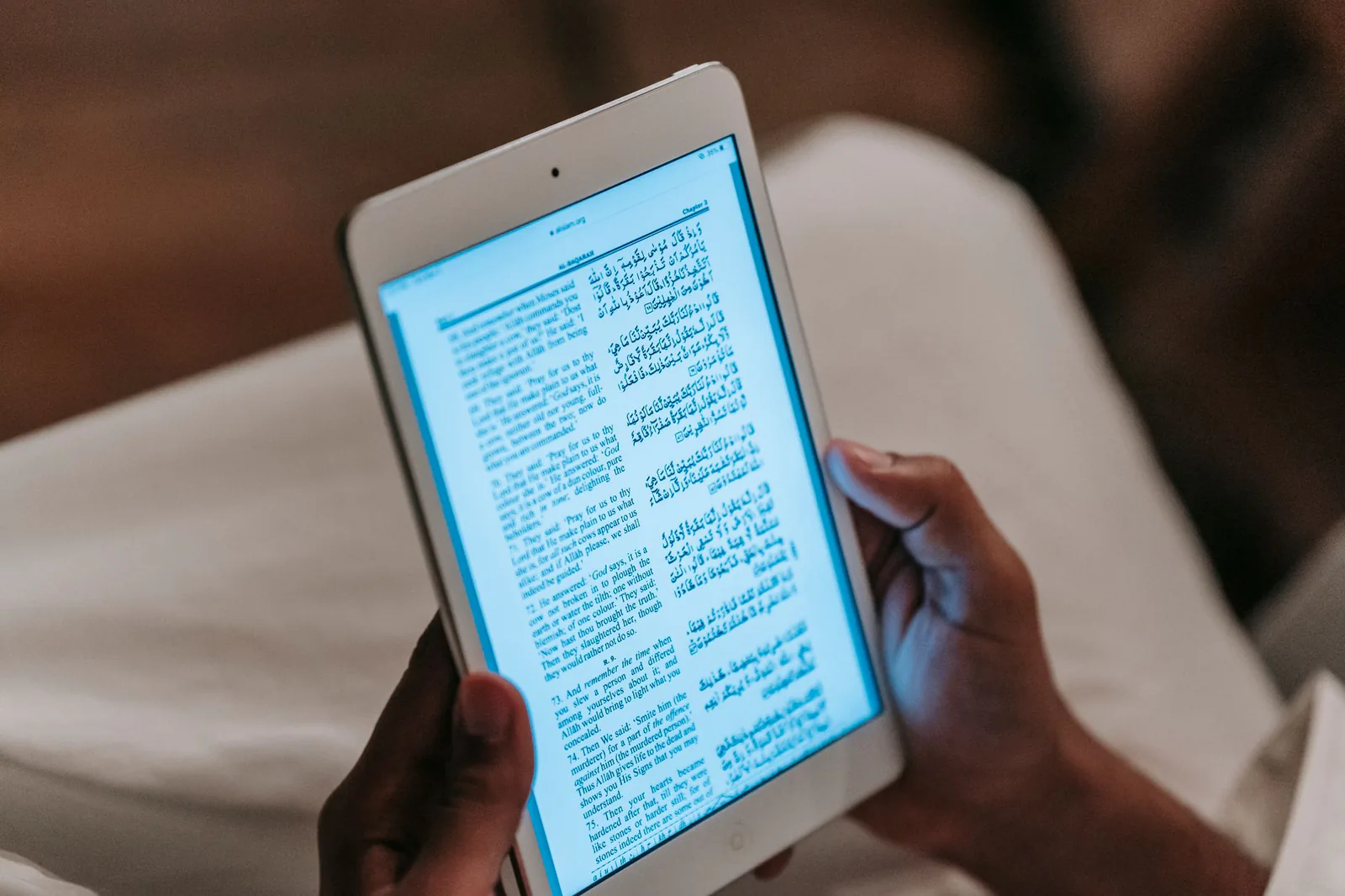
EPUB remains the universal ebook format — compatible with Apple Books, Google Play, Kobo, and now Amazon Kindle Direct Publishing.
Import blog posts, transcripts, or Word docs — Designrr formats them into a polished ebook in minutes. Built for content repurposing at scale.
- One-click import from URL, Word, Google Doc, or transcript
- 100+ ebook templates with drag-and-drop customization
- Export to PDF, EPUB, and Kindle (MOBI)
- AI transcription — upload audio/video and get a formatted ebook
- Automatic table of contents, citations, and cover page generation
Designrr solves a specific problem that no other tool on this list does well: turning existing content into an ebook fast. Paste a blog post URL, upload a Word document, or drop in a video transcript — Designrr imports the content, applies a template, and generates a formatted ebook with cover page, table of contents, and styled chapters. What used to take hours of copy-pasting and formatting takes minutes.
The AI transcription feature is particularly useful for podcasters and video creators. Upload an audio file, and Designrr transcribes it, structures it into chapters, and formats it as an ebook. This is a workflow that would normally require a transcription service, a Word document, and a separate design tool — Designrr handles all three steps in one platform.
The trade-off is design quality and pricing. The templates are professional but not as refined as Vellum or Canva's best. The monthly subscription adds up — at $29-49/month, you are paying $348-588/year, which is more than Vellum's one-time ebook price. For marketers who produce multiple lead magnets per month, the time savings justify the cost. For a one-time ebook project, a one-time purchase tool is more economical.
WordPress and content marketers — select blog posts and Beacon compiles them into a designed ebook with cover, TOC, and branded styling.
- Import individual blog posts or entire categories from WordPress
- Drag-and-drop chapter reordering after import
- Customizable cover pages, headers, and color schemes
- Export to PDF and EPUB
- Lead capture integration — gate ebooks behind email opt-ins
Beacon is built specifically for the blog-to-ebook workflow. If you have a WordPress site with dozens of published posts on a related topic, Beacon lets you select those posts, arrange them into chapters, apply a branded template, and export a finished ebook. It is the fastest path from "I have a lot of blog content" to "I have a downloadable lead magnet."
The free plan is a genuine starting point — you can create one ebook with Beacon branding to test the workflow. The Pro plan removes branding and adds unlimited ebooks, custom fonts, and lead capture forms. The lead capture integration is a standout feature: instead of just exporting a PDF, you can embed a gated download page on your site that collects email addresses before delivering the ebook.
The limitation is scope. Beacon is not a writing tool — it assumes your content already exists. The template designs are clean and professional but not as flexible as Canva or as polished as Vellum. EPUB export is available but secondary to PDF — Beacon is optimized for marketing ebooks, not commercial publishing. For bloggers who want to monetize their existing content, though, the workflow is hard to beat.
Open-source publishing platform built on WordPress — professional EPUB, PDF, and MOBI export with structured content and academic-grade formatting.
- Free self-hosted version (pressbooks.org) with full features
- Export to EPUB, PDF, MOBI, XHTML, and OpenDocument
- Structured content — front matter, chapters, parts, back matter
- Themes designed for fiction, nonfiction, and academic texts
- Used by universities, libraries, and publishers worldwide
Pressbooks is the open-source answer to professional ebook formatting. Built on WordPress Multisite, it turns the familiar WordPress interface into a structured book-writing and publishing tool. You write chapters as WordPress posts, organize them into parts and front/back matter, apply a book theme, and export to EPUB, PDF, or MOBI with professional-grade formatting.
The self-hosted version is completely free — you install it on your own WordPress site and get all the features with no limits on the number of books. The export quality is excellent, particularly for nonfiction and academic works. Pressbooks is used by universities, libraries, and open-access publishers precisely because it handles complex structures — footnotes, glossaries, indexes, citations — that other tools struggle with.
The trade-off is setup. Self-hosting Pressbooks requires a WordPress installation with Multisite enabled — not difficult, but more technical than signing up for Canva. The hosted version at Pressbooks.com removes the setup burden but costs $19.99/month for 5 books or $99.99/month for unlimited. For authors comfortable with WordPress, the self-hosted route is the best free option on this list. For everyone else, the hosted plan is a reasonable middle ground.
Create interactive ebooks with embedded video, audio, quizzes, and animations — export to EPUB, HTML5, or a branded mobile app.
- Add video, audio, interactive images, and quizzes inside your ebook
- Export to EPUB 3, HTML5 web app, Android, iOS, and Windows desktop
- DRM protection — control copying, printing, and device limits
- Analytics — track reader engagement, page views, and quiz results
- Multi-language support with right-to-left text and RTL layout
Kotobee Author occupies a unique niche: interactive ebooks. While every other tool on this list produces static text-and-image ebooks, Kotobee lets you embed video, audio, quizzes, drag-and-drop activities, and 3D models directly into your ebook pages. For educators building digital textbooks, corporate trainers creating onboarding materials, or anyone who needs more than text on a page, Kotobee is the most capable option.
The export options are extensive — EPUB 3 for standard ereaders, HTML5 for web delivery, and native apps for Android, iOS, and Windows. The DRM system lets you control who can open your ebook, how many devices they can use, and whether printing or copying is allowed. For organizations selling premium interactive content, these controls are essential.
The trade-off is complexity and cost. Kotobee's interface is more complex than Canva or Beacon — there is a learning curve to using the interactive elements effectively. The free plan applies a watermark and limits interactivity, so you need the Pro plan ($150/year) for serious use. For traditional text-based ebooks, Kotobee is overkill. But for interactive, multimedia-rich content, it is the best tool on this list.
Ebook Builder Comparison Table
| Tool | Best For | Export Formats | Price | Free Plan |
|---|---|---|---|---|
| Canva | Beginners, lead magnets | $0 / $14.99/mo | Yes | |
| Vellum | Novelists, fiction | EPUB, MOBI, PDF | $249.99 / $499.99 one-time | Trial (watermarked) |
| Scrivener | Long-form writers | EPUB, PDF, MOBI, Word | $59.99 one-time | 30-day trial |
| Designrr | Content repurposing | PDF, EPUB, MOBI | $29–$99/mo | 7-day trial |
| Beacon | Blog-to-ebook | PDF, EPUB | $0 / $49–$199/mo | Yes (branded) |
| Pressbooks | Free / open-source | EPUB, PDF, MOBI, XHTML | $0 self-hosted / $19.99/mo | Yes (self-hosted) |
| Kotobee Author | Interactive ebooks | EPUB 3, HTML5, apps | $0 / $150–$500/yr | Yes (watermarked) |
How to Choose the Right Ebook Builder
With seven very different tools, the right choice depends entirely on what you are creating. Here is a quick decision framework:
You are creating a lead magnet or marketing ebook (10-30 pages, PDF): Start with Canva — it is free, fast, and produces professional results. If you need to repurpose blog posts automatically, try Designrr or Beacon. If you want email gating, Beacon's lead capture integration is the best fit.
You are writing a novel or fiction book for commercial publishing: Vellum is the clear winner for formatting quality and ease of use. If you want a writing environment too, Scrivener is the better all-in-one choice. Both export to EPUB and MOBI for Amazon KDP, Apple Books, and Kobo.
You are writing nonfiction or a long-form book: Scrivener handles the writing process from outline to export. Pressbooks is the best free option, especially for academic or structured nonfiction with footnotes and glossaries. Vellum works for nonfiction too, though it is optimized for fiction.
You are creating an interactive or multimedia ebook: Kotobee Author is the only tool on this list that supports embedded video, audio, quizzes, and interactive elements. For educational content, digital textbooks, or training materials, it is the right choice.
You want the lowest possible cost: Pressbooks self-hosted is completely free with no limits. Canva free plan handles PDF ebooks. Beacon free plan lets you create one branded ebook. All three are genuinely usable without paying.
Frequently Asked Questions
Our Top Picks
For most people creating their first ebook, Canva is the best starting point — free, fast, and professional. For novelists publishing commercially, Vellum produces the most beautiful ebooks with the least effort. For writers who want a complete writing studio, Scrivener is the best all-in-one tool. For marketers repurposing content, Designrr and Beacon automate the hardest part. And for a fully free, professional-grade option, Pressbooks self-hosted is unbeatable.