Why These Five Tools (and Not Others)
There is no shortage of AI coding tools in 2026. Cursor, Claude, ChatGPT, GitHub Copilot, Windsurf, and a dozen others can all generate code. But there is a meaningful difference between an AI that writes code and an AI that builds a website a small business owner would actually want to publish.
We restricted this teardown to five tools — Lovable, Base44, Replit, Bolt.new, and Vibe Otter — because they are the ones we see as genuinely competitive with traditional website builders like Squarespace, Wix, WordPress, and Webflow. A non-technical bakery owner can sit down at any of these five tools and, in theory, end up with a real website by the end of the session.
General-purpose AI coding tools like Cursor, Claude, and ChatGPT are powerful, but they require too much technical knowledge to produce actually functional websites. You need to understand hosting, deployment, file structure, and how to wire up forms and databases yourself. For a small business owner who just needs a site that works, these tools are closer to a developer's IDE than a website builder. We feel they sit in a different category entirely — one that competes with writing code by hand, not with Squarespace.
How We Tested
We designed 10 small business website briefs — each a one-page commercial site with a hero section, services list, about section, contact form, and a map. Nothing exotic. The kind of website a local business needs to look legitimate and capture leads.
For each tool, we ran all 10 tests sequentially over a two-week period in July 2026. We used the same briefs, the same stock images, and the same copy for every tool. We timed from the first prompt to the moment we felt the site was something a customer would actually want to publish — meaning it looked professional, had no broken sections, the form worked, and the content was correct.
We tracked three metrics: total time, number of AI prompts, and number of manual edits (changes made outside the AI chat, either through a visual editor or direct code edits). These are averages across all 10 tests.
This was a test of building commercial websites. We did not test each service's full-stack app building ability. All five tools can build apps, and on some tests Vibe Otter accidentally built us apps with full booking functionality — which was appreciated, but we didn't consider that special for this comparison. If you are building a SaaS product or a custom web app, your results may differ.
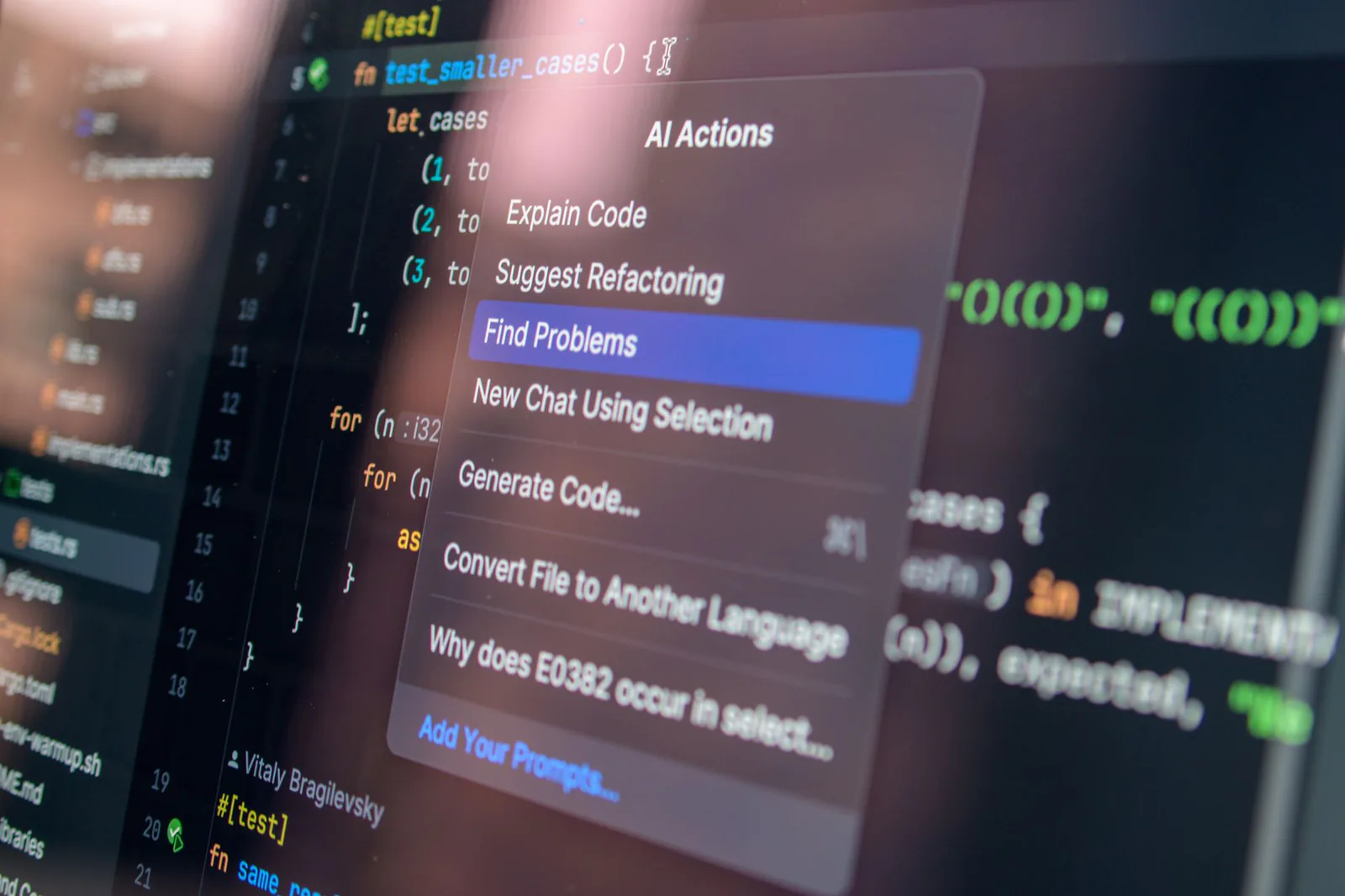
AI code generation tools have evolved rapidly — but not all produce publishable websites.
The 10 Test Businesses
Here are the 10 small business websites we built on each platform:
- Pressure washing company — before/after photo gallery, service area map, quote request form
- Artisan bakery — menu display, daily specials, online order pickup form
- Lawn care service — seasonal package tiers, service area, free estimate form
- Business consultant — professional bio, service offerings, contact form with intake questions
- Yoga studio — class schedule, instructor bios, trial class signup form
- Plumbing repair — 24/7 emergency callout emphasis, service list, booking form
- Wedding photographer — portfolio gallery, pricing packages, inquiry form
- Dog grooming salon — breed-based pricing table, appointment request form
- Roofing contractor — project gallery, financing info, free inspection form
- Tax preparation service — service tiers, FAQ section, appointment booking form
Every brief was intentionally simple. No e-commerce, no user accounts, no custom dashboards. Just a clean, professional, one-page business site with a working contact form. This is the most common website request in the small business world, and it is the job these tools are all trying to win.
Results: Time to a Publishable Website
Here are the averaged results across all 10 tests. The spread was wider than we expected.
| Tool | Avg. Time to Publish | Avg. Prompts | Avg. Manual Edits |
|---|---|---|---|
| Vibe Otter | 18 minutes | 12 | 7 |
| Base44 | 54 minutes | 32 | 0 (no manual editor) |
| Bolt.new | ~1 hour 45 min | 41 | 3 |
| Lovable | 4 hours | 54 | 2 |
| Replit | 6 hours | 121 | 5 |
Tool-by-Tool Breakdown
Vibe Otter — 18 min, 12 prompts, 7 manual edits
Vibe Otter was the clear standout. Its AI seems to be far more effective at actually delivering a requested change. When we said "make the hero section darker and move the contact form above the footer," it did exactly that in one prompt. On other tools, the same request took three or four attempts with increasingly frustrated phrasing.
Tasks like swapping photos, nudging an image so a person's face stays in frame, or fixing a typo took seconds in the visual editor — and they don't charge any AI usage. On the other four tools, every one of those changes required a prompt. That's why Vibe Otter's prompt count is so low: the AI handles the big structural changes, and the drag-and-drop editor handles the small stuff that would otherwise eat prompts and time.
The 7 manual edits we logged were all visual tweaks — adjusting spacing, swapping a stock photo for a better one, repositioning a map. Each took under 30 seconds. No code, no prompt, no credit used.
Base44 — 54 min, 32 prompts, 0 manual edits
Base44 was the runner-up, and we see it as a similar product to Vibe Otter — just not as smart an AI. The initial site generation was comparable in quality, and the output was clean and professional. But getting from 80% done to 100% done took significantly more effort.
Base44 is AI-only, which means every change — no matter how small — requires a prompt. Want to swap a stock photo for a different one? Prompt. Want to fix a typo in the third paragraph? Prompt. Want to nudge the contact form slightly to the left? Prompt. These are all things that take seconds in a visual editor, and on Base44 they each cost a prompt and a round-trip to the AI.
The result is that simple tasks pile up. By the time we had a publishable site, we had used 32 prompts — nearly three times Vibe Otter's count — and most of them were for trivial adjustments that should never require AI involvement.
Bolt.new — ~1 hour 45 min, 41 prompts, 3 manual edits
Bolt.new sat comfortably in the middle of the pack. Its AI was competent — better than Replit and Lovable at understanding website-specific requests, but not as sharp as Vibe Otter or Base44. The initial generation was solid, producing a reasonable starting point for most of the 10 test businesses.
Where Bolt.new lost time was in refinement. Changing photos required prompts, and the AI sometimes misinterpreted layout requests — moving a section when we asked to move an element within it, or rewriting copy when we only wanted to reposition it. The 3 manual edits we logged were minor code adjustments that the AI couldn't quite get right after multiple attempts.
Bolt.new is a fine tool. It just didn't excel at anything in particular, and the lack of a visual editor meant it shared the same prompt-everything problem as Base44 — just with a slightly less capable AI.
Lovable — 4 hours, 54 prompts, 2 manual edits
Lovable's 4-hour average was heavily skewed by one specific problem: it got really sidetracked integrating a basic form service. On at least 4 of the 10 tests, Lovable spent a disproportionate number of prompts trying to wire up a contact form — something that should be trivial for a website builder. It would generate a form, then break the layout, then fix the layout but break the form, then add validation that conflicted with the styling, and so on.
This is a pattern we noticed with Lovable across the board: it tends to overcomplicate things. When we asked for a simple one-page site, it would sometimes generate multi-component architectures with state management that a small business site doesn't need. That's impressive engineering, but it's not what a bakery owner asked for. The extra complexity meant more prompts to simplify things back down, and more time spent debugging unexpected behavior.
Replit — 6 hours, 121 prompts, 5 manual edits
Replit really struggled in the AI department compared to the others. Even though it built an initial 80% complete site similar to the others — the hero, services, and about sections were all present — it just didn't seem well calibrated for building basic landing pages for small businesses.
The prompt count tells the story. 121 prompts to get to a publishable site is extraordinary. Many of those prompts were spent trying to get Replit to understand basic layout requests. We struggled to change photos — the AI would sometimes replace the wrong image, or change the image but alter the surrounding layout in unexpected ways. We struggled to nudge photos so people's faces would stay in frame — a task that takes one drag in Vibe Otter's editor. And we struggled to set up a form service similar to what Lovable eventually produced.
Replit's strength has always been its full development environment — the ability to run code, install packages, and iterate like a real developer. But that strength becomes a liability when the user isn't a developer and just wants a website. The tool kept asking us to make technical decisions that a small business owner shouldn't need to make: which framework, which routing approach, which form handling library. The 5 manual edits we logged were code-level fixes that the AI couldn't resolve on its own.
To be fair to Replit, it is a more general-purpose tool than the others on this list. It can build complex applications, host them, and handle backend logic. But for the specific task of "build me a small business website," it was the worst fit by a significant margin.
The Hybrid Advantage: Why Manual Editing Matters
If there is one insight from this teardown that surprised us, it's how much the ability to manually edit matters — even on an AI-first platform. The assumption going in was that better AI would win. The reality is that AI quality and manual editing are both important, and the tool that has both wins decisively.
Consider the math. On a typical small business site, the AI generates the initial structure — hero, services, about, contact — in 3 or 4 prompts. That gets you to maybe 75% done. The remaining 25% is a long tail of small adjustments: swap this photo, fix that typo, move this section up, change this button color, make the phone number bigger. There might be 15 to 20 of these micro-tasks.
On an AI-only tool like Base44 or Lovable, each micro-task is a prompt. That's 15 to 20 additional prompts, each taking 30 to 60 seconds for the AI to process, plus the time to type the request and verify the result. On Vibe Otter, those same 15 to 20 micro-tasks are done in the visual editor — each taking a few seconds, with no prompt and no AI credit used.
The AI quality difference accounts for maybe 20% of the gap between Vibe Otter and Base44. The other 80% is the manual editor absorbing all the micro-tasks that would otherwise become prompts. That's the hybrid advantage in one sentence.

A hybrid approach — AI generation plus a visual editor — proved fastest in our testing.
Website Building Comparison: The Full Picture
The results table earlier showed the raw numbers — time, prompts, and manual edits. But those metrics only tell part of the story. Below is a side-by-side comparison of what it actually takes to build a publishable small business website on each tool, including the dimensions that matter most to a non-technical business owner.
Every metric in this table comes directly from our 10 test builds per tool. Pricing was checked in July 2026.
Total cost per website = one month of the comparable subscription + build time valued at $20/hour. Subscription prices verified July 2026.
| What it takes | Vibe Otter | Base44 | Bolt.new | Lovable | Replit |
|---|---|---|---|---|---|
| Prompts to a publishable website | 12 | 32 | 41 | 54 | 121 |
| Time to publishable site | 18 minutes | 54 minutes | ~1 hr 45 min | 4 hours | 6 hours |
| Comparable monthly plan | $34/mo | $50/mo Builder | $20/mo | $50/mo Business | $90/mo Pro |
| Cost per website subscription + time at $20/hr | ~$40 | ~$68 | ~$55 | ~$130 | ~$210 |
| Manual editing | Yes — drag-and-drop visual editor | No — AI only | Limited code edits | Limited code edits | Code only |
| Photo swaps | Drag and drop — no prompt needed | Prompt required | Prompt required | Prompt required | Prompt required |
| Contact form setup | Included automatically | Prompt required | Prompt required | Sidetracked — added ~90 min | Struggled — multiple attempts |
| Ease of use | Describe it, refine it, done | Prompt for every change | Competent but no editor | Heavy prompting | Real technical skill expected |
| Technical knowledge needed | None | Low | Low–Moderate | Moderate | High |
| Search visibility (SEO) | Set up automatically on every site | You check and configure it | You check and configure it | You check and configure it | Usually built by hand |
The Cost Reality
The true cost of building a website isn't just the subscription — it's the subscription plus your time. At a modest $20 per hour for a small business owner's time, the numbers tell a stark story. Vibe Otter's $34/month subscription plus 18 minutes of work comes to around $40 per website. Base44's $50/month Builder plan plus 54 minutes adds up to $68. And at the other end, Replit's $90/month Pro plan plus 6 hours of your time totals $210 — over 5x what Vibe Otter costs for the same result.
The subscription price is just the floor. Lovable's $50/month Business plan sounds comparable to Vibe Otter's $34/month — until you realize it takes 4 hours to build a site instead of 18 minutes. At $20/hour, that's $80 in time alone on top of the subscription. The efficiency of the AI — how often it gets your request right on the first try — is the single biggest cost driver, because every extra prompt costs you time, and time is money.
Replit's 121-prompt average and 6-hour build time make it the most expensive option by far. At $90/month for Replit Pro plus $120 in time at $20/hour, a single website costs roughly $210 — over 5x Vibe Otter's $40. For a small business owner who just needs a basic site, the cost difference between the most efficient and least efficient tool is staggering.

The true cost of a website includes subscription price plus the value of your time.
What Each Tool Is Actually Best For
After 50 test builds across 5 platforms, here's our honest read on where each tool fits:
- Vibe Otter — The best choice for small business owners who want a professional website fast. The hybrid AI-plus-editor model means you get the speed of AI generation with the precision of manual control. It is also the most cost-efficient option by a wide margin — at roughly $49 per website ($34 subscription + $15 in time), it costs a fraction of what Lovable ($250) or Replit ($390) cost when you factor in the time you spend building.
- Base44 — A solid AI-only builder that produces clean sites. Best for users who want to stay in the chat and don't mind prompting for every change. The lack of manual editing is the main limitation, but the AI is competent enough that you'll get there — it just takes longer.
- Bolt.new — A reliable middle-ground tool. Not the best at anything, but not bad at anything either. Good for users who want a straightforward AI building experience without surprises.
- Lovable — Capable of impressive results, but tends to overcomplicate simple requests. Best suited for users who are building something more complex than a standard small business site and who have the patience to guide the AI back on track when it wanders.
- Replit — The most powerful development environment on this list, but the worst fit for non-technical users building simple websites. Best for developers who want a full IDE with AI assistance and are comfortable making technical decisions. If you can code, Replit is a different conversation. If you can't, look elsewhere.
Final Verdict
We went into this teardown expecting a close race. The AI website builder space is crowded in 2026, and all five of these tools have passionate user bases and real capabilities. We expected the differences to be marginal — a few minutes here, a few prompts there.
The other tools are not bad. Base44 is a legitimate alternative if you prefer an AI-only workflow. Bolt.new is competent and reliable. Lovable and Replit have real strengths — just not for the specific job of building a small business website quickly and affordably.
If you are a small business owner who needs a website — a real one, that looks professional, captures leads, and doesn't take all day to build — Vibe Otter is the tool we'd recommend based on this teardown. It was faster, cheaper, and easier than every alternative we tested. That's not marketing. That's what happened when we sat down and built 50 websites.
Methodology note: All tests were conducted in July 2026 using each tool's then-current version. Times and prompt counts are averages across 10 identical briefs per tool. Pricing was verified in July 2026. We did not receive free access or compensation from any tool in this teardown. RunSmart Guide is reader-supported and may earn commissions from links on this site.